Hibrora
Manhwa translation, in context
Manhwa translation is read over its bubbles, not under them
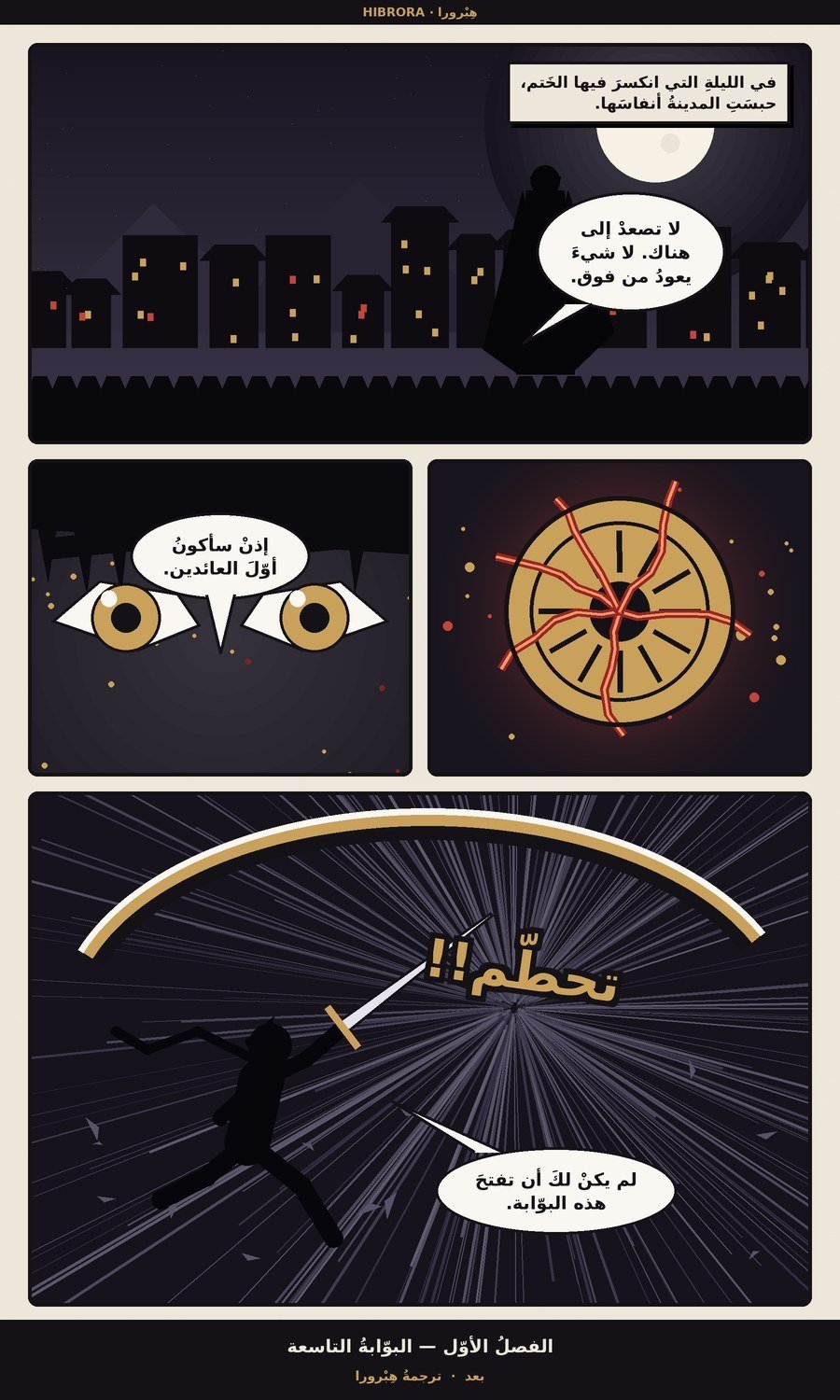
An Android app that translates your pages and places the Arabic right in each bubble's spot — keeping your characters' names consistent from the first chapter to the last. And your images never leave your device.
Your pages never leave your device — the text is read on your phone, and only the words reach our server.
Why Hibrora?
Four things you will not find in another translator
Instant translation over any app
You are reading in your favourite app, you tap a floating button, and it captures the screen and shows the translation in place — without leaving the app and without saving any images.
Pick the chapter, then put your phone down
Pick every page at once and the translation keeps running while you are outside the app. A notification shows the progress and carries a stop button, and the chapter is ready when you come back.
Every bubble is yours to change
Change the text of any bubble, its colour, its shape and its font, draw over the page, then save it to your gallery or export the whole chapter.
Your pages never leave your device
The text is read on your phone, and only that text reaches our server. We do not store your pages and we do not upload them — they stay yours.
Story memory
The hardest thing in translating manhwa is not the sentence — it is the name. A translator that does not remember makes your hero "Kang" in one chapter and "Jang" in the next, and the story is lost on its reader. Hibrora saves every name and term it translates once, and holds to it through every chapter of that work.
Each work keeps its own memory — you review it, correct it, and lock whatever you do not want changed.
One page, two languages
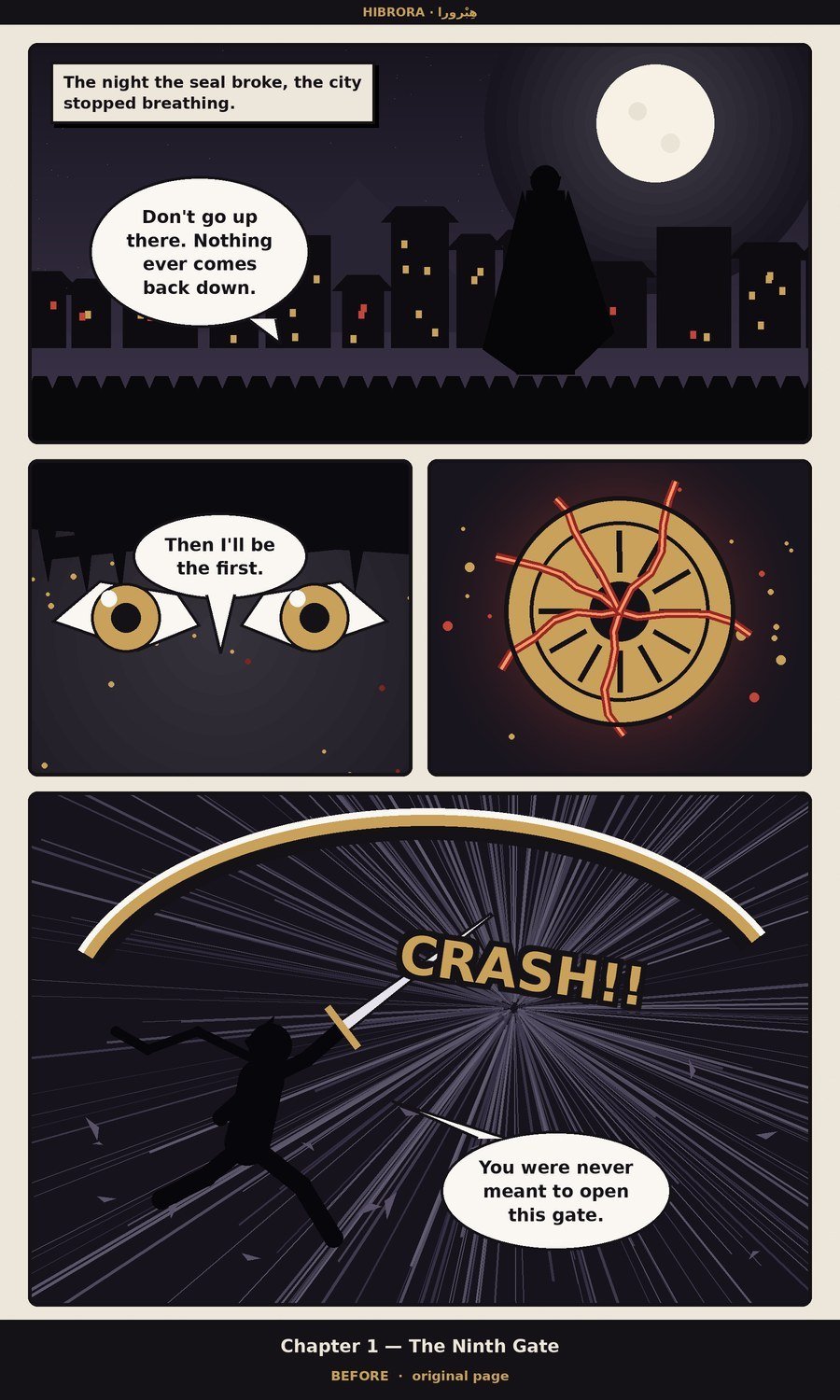
Same artwork. Only the words change.
How it works
From installing the app to your first translated page
Install the app and sign in
One account follows you across your devices, and your translations travel with it.
Pick a page or a whole chapter
From your gallery, or capture what you are reading in any other app with the floating button.
Read the translation over the bubbles
Edit it if you like, then save it as an image or export the whole chapter.
Subscription plans
Pick the plan that fits how many pages you translate each month
Founders price until Dec 29, 2026
- Subscribe before the period ends and you keep your price for as long as you stay subscribed — and it is Google Play itself that holds that price, not us.
- No sign-up and no promo code: anyone whose first Google Play subscription is paid before the deadline becomes a founder automatically.
- If you cancel and come back after the period ends, you pay the new price — the price is tied to an unbroken subscription, not to the account.
Subscriptions are bought inside the Android app through Google Play, and they unlock the features on this same account. The final price is shown in the store in your own currency. Pages are counted by their size, not one by one — see "How a page is counted" below.
How a page is counted
Plainly, before you pay — not after you subscribe
A short page is one. A long strip is more
Manhwa pages differ enormously: some carry two lines, others are long strips with dozens of bubbles. Counting them all as one would make the reader of short pages pay for someone else. Every plan has a counting unit, and the higher the plan the larger its unit. A worked example: on a unit of 2,000 characters, a page holding 4,600 characters counts as three pages.
The most accurate model counts for more
The fast and balanced models count as they are. The most accurate model costs us more, so each page on it counts ×1.5 — and that number is written under the model's name inside the app before you pick it, not after.
Nothing is charged until the translation succeeds
An attempt that fails, or one cut off by a dropped connection, costs you nothing. And if your credit will not cover a particular page, it is refused before it starts and you are told how much it needs and how much you have left — so you never pay for half a translation.
Free, and it carries ads
Free accounts see ads — they are what pays for those translations. You may also watch an optional ad to have pages added to your balance as a gift. A paid subscription turns the ads off.
Frequently asked
How do I translate a page?
From the home screen: open a work or create one, pick an image from your gallery or take one, set the source and target languages, then press Translate.
When is my balance charged?
Only after a translation succeeds. Failed translations are not charged, and on-device translation is free.
What is story memory for?
It keeps character names and terms exactly as you approved them, so they stay consistent from page to page instead of changing every time.
I forgot my password — what now?
On the sign-in screen press "Forgot password?" and enter your email; a code will let you set a new password.
How do I contact you?
Profile → "Inbox & support" → the compose button. Replies arrive in the same inbox.